.png)
Urgent Note
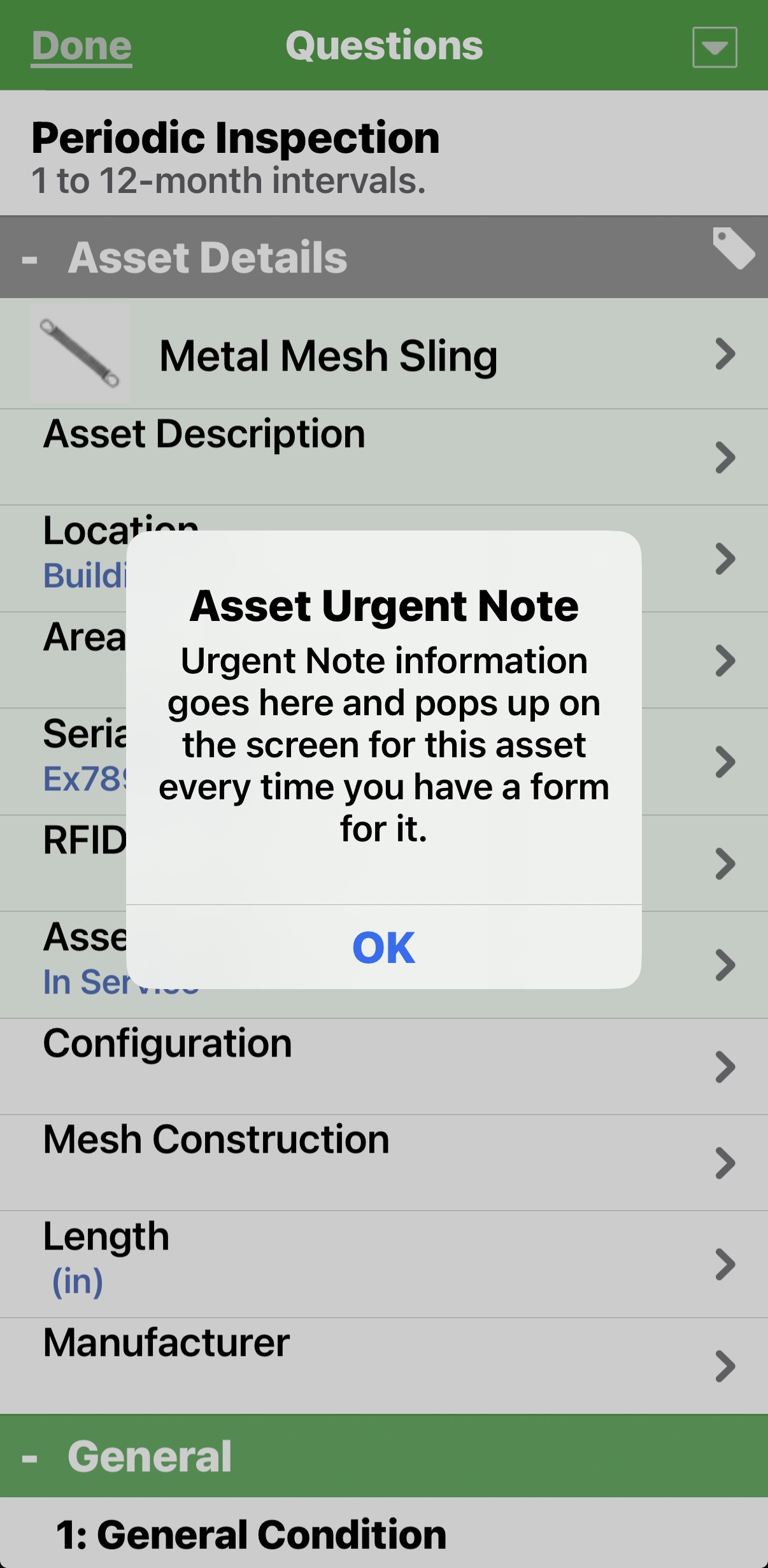
The Urgent Note field can be enabled on an asset class, which will allow web or Admin users to enter information that the mobile user will see when opening up any form assigned to that asset.
Showing an urgent note allows users to add a note to the asset that will alert all users when viewing the asset. An example would be "Disconnect power before inspection!"
Enable Urgent Note Option
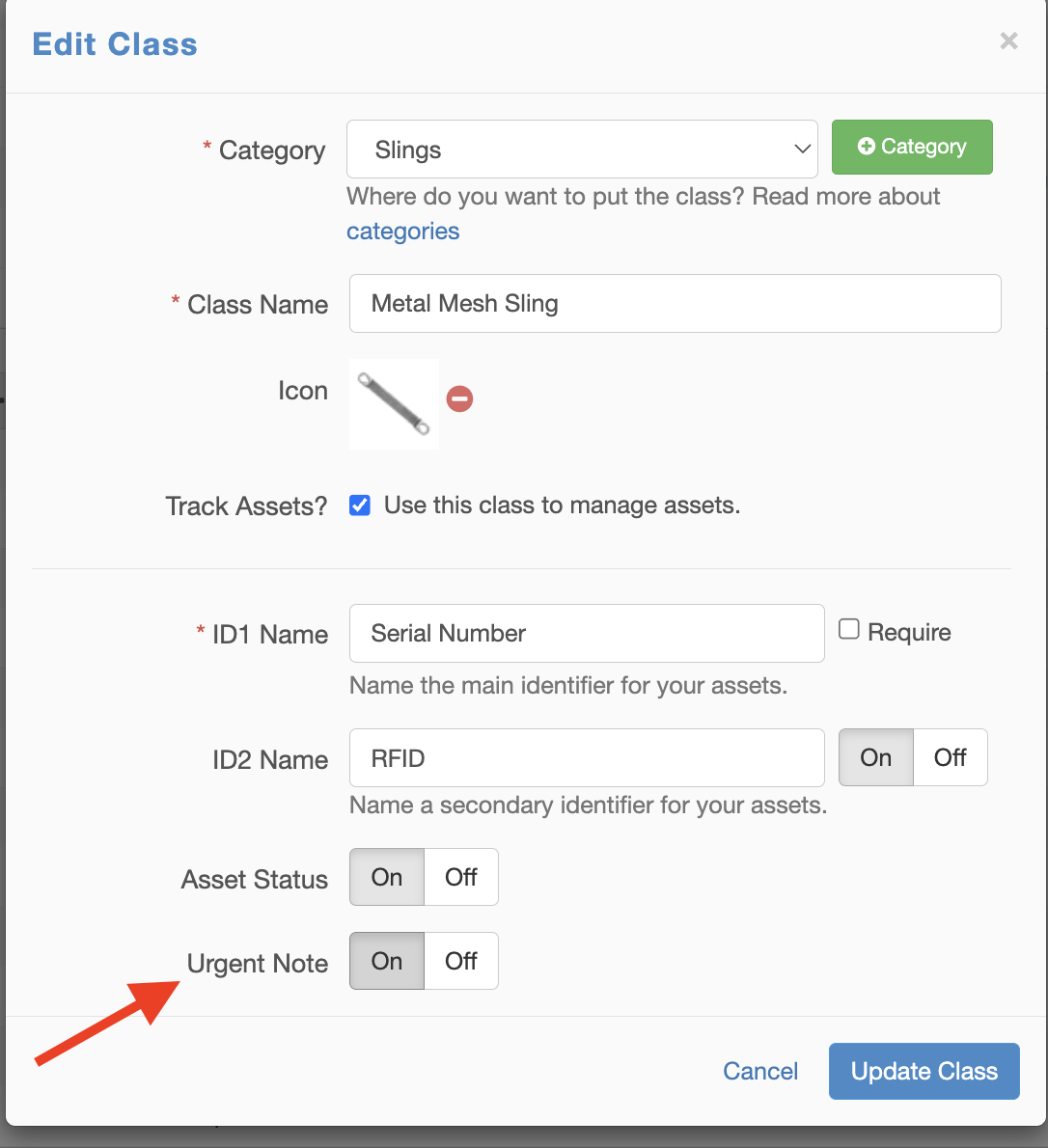
To enable this option, go to "Form Builder" and click to Edit the Asset Class.
Select "On" in the Urgent Note field option and click "Update Class" to save the setting.
Add an Urgent Note to an Asset
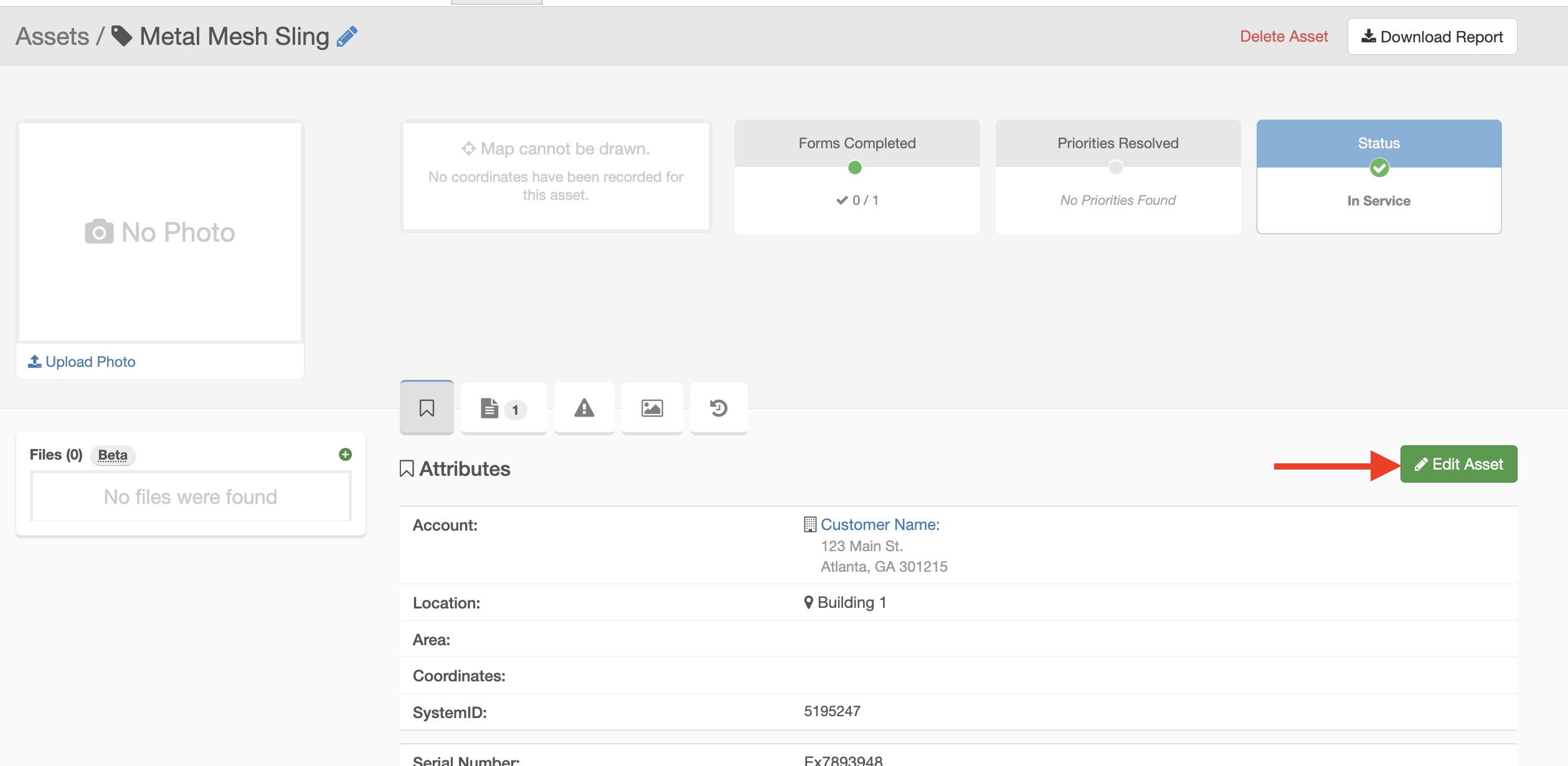
You are able to add an Urgent Note to an asset from the website. To add an urgent note to an asset, go into the asset file and click "Edit".
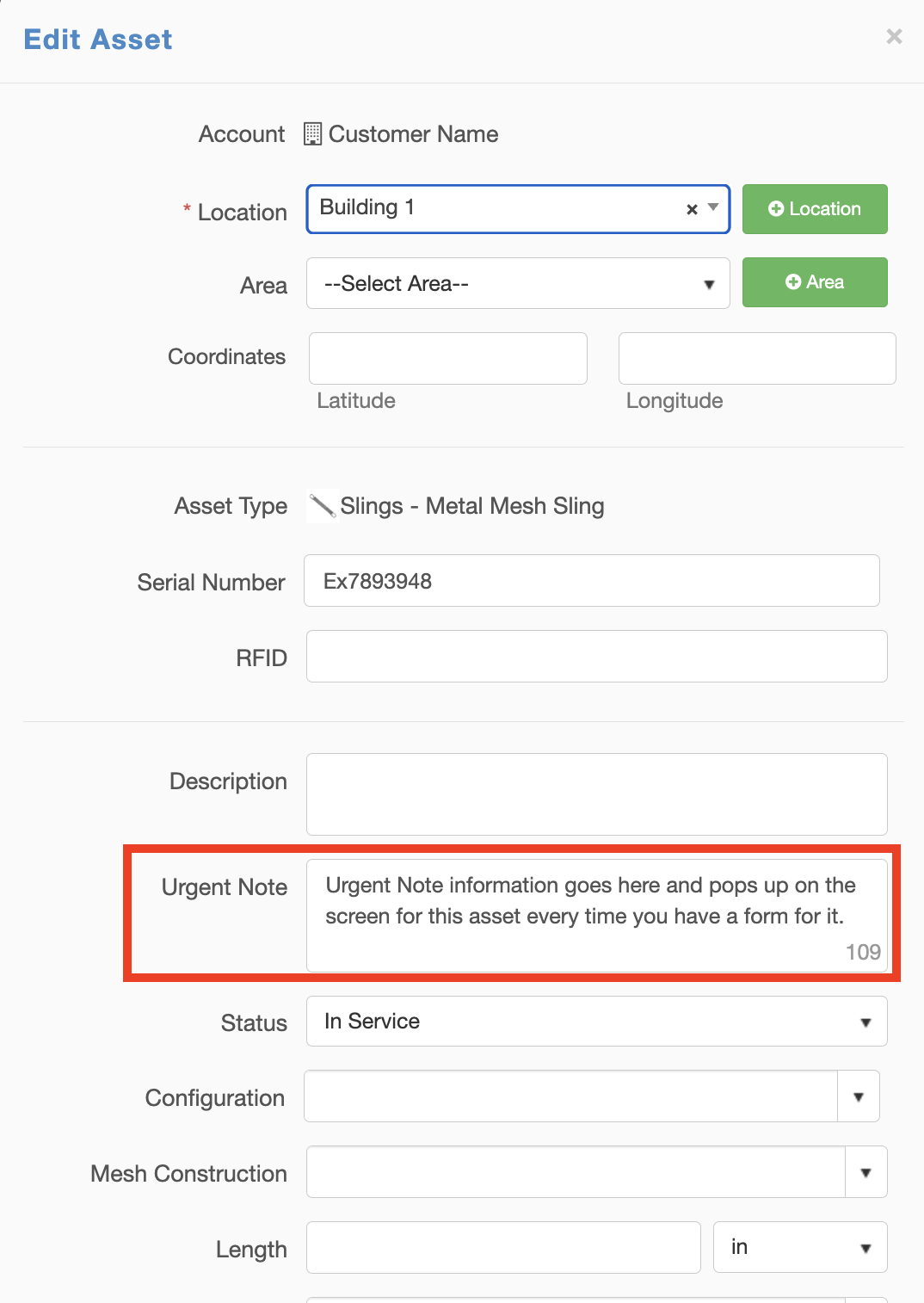
Then enter your urgent note.
Once this update is saved, the Urgent Note will notify the mobile user in the form of a pop-up every time they open a form for this asset.