.png)
Default Forms by Folder Type
Default Forms
Non-Asset tracking form templates can be set up as a default by Folder Type. This function will automatically populate the form template(s) you choose here whenever a folder of this type is created.
For instance, if you have a time sheet or internal notes form you want to have automatically show up without selecting it, add that form as a default in Folder Settings.
Note: Asset tracking forms can NOT be set up as defaults. More details on Asset tracking versus Non-asset tracking forms can be found HERE
How to set it up
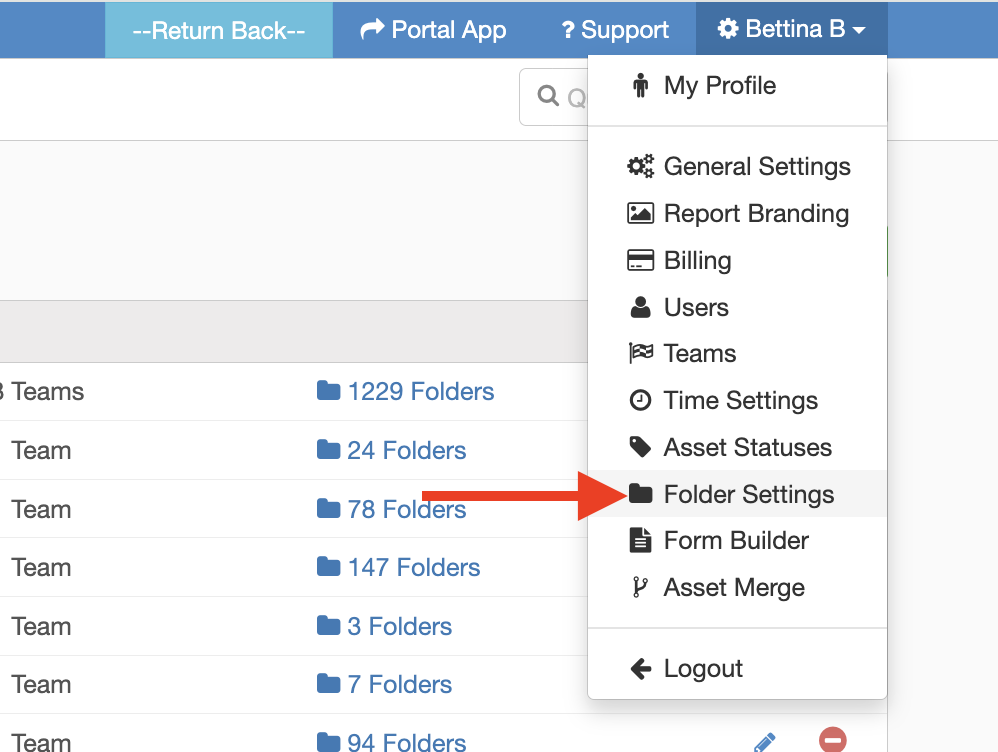
- From the InspectAll website, click your name (at the top right of the page) and select "Folder Settings" from the drop down menu.
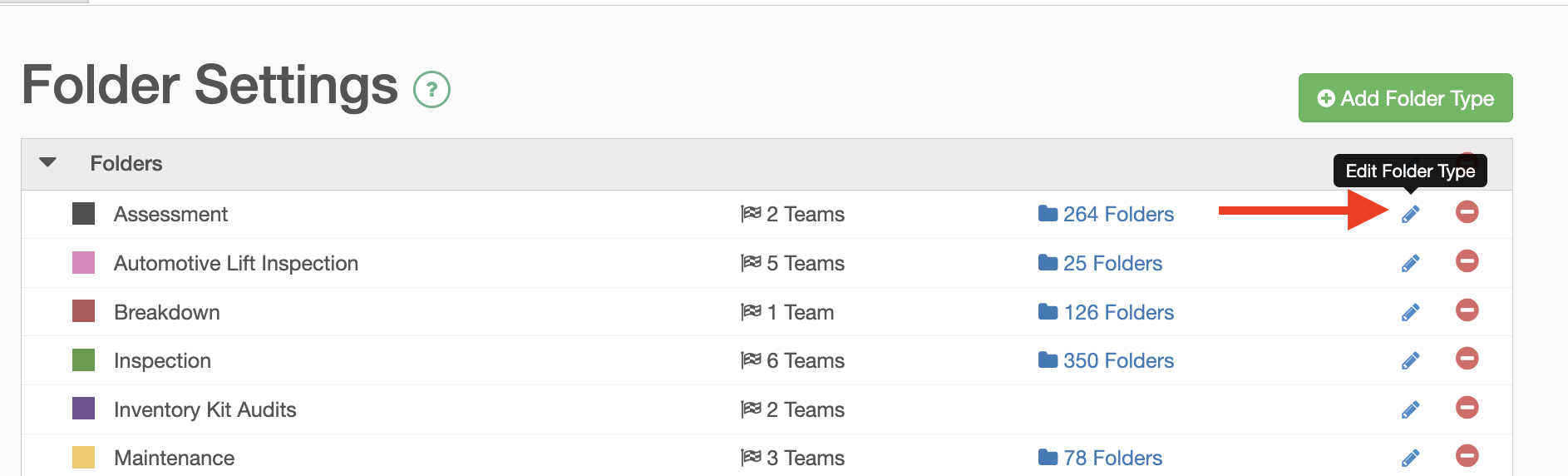
Click the blue pencil icon beside the folder type you want to edit.
- Under #4, "Default Forms", click on the "Add Forms" icon.
- Select the non-asset tracking forms you want set up as the default for that folder type.

- Click "Update Folder Type" at bottom of screen to save the changes.